
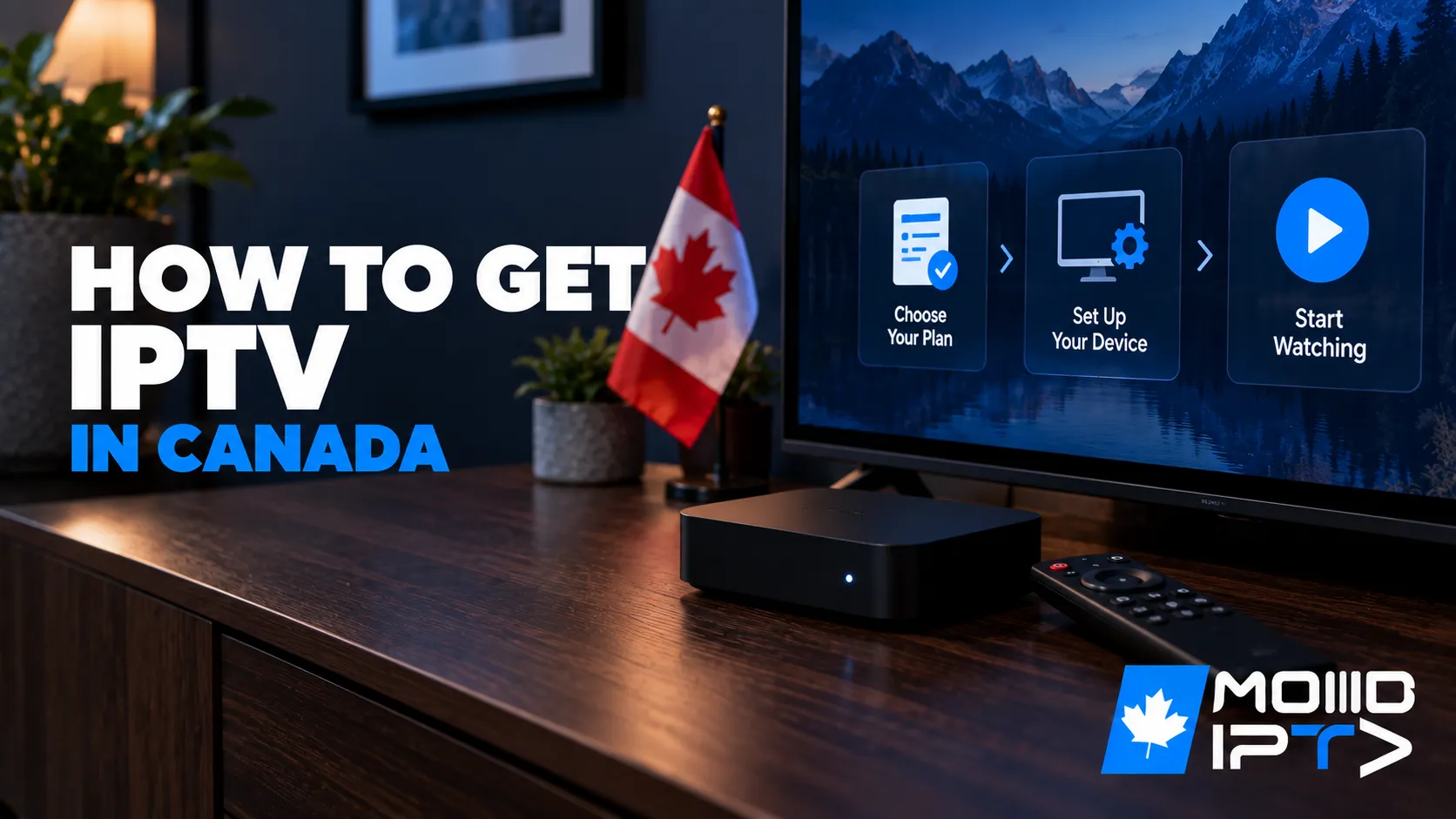
To get an IPTV subscription, choose a reliable provider, pick a plan (typically $10–$30 CAD per month), pay securely, then install a player app on your device and enter the M3U URL or Xtream Codes login the provider sends you — the whole process takes under 15 minutes. With an IPTV Canada provider, activation is instant and your channels load within a minute of setup.
IPTV price in Canada is surprisingly affordable: quality services average around $15 per month for thousands of live channels, HD/4K streaming, and an extensive VOD library — a fraction of a traditional cable bill. The ten steps below cover everything: what a subscription includes, the real total cost of a setup, how to choose and pay a provider safely, installation on your device, and the optional extras like a VPN.
1. What IPTV Is and What a Subscription Includes
IPTV (Internet Protocol Television) is TV delivered over your internet connection instead of a cable or satellite line. You watch live channels, movies and series through an app on a smart TV, streaming stick, phone or computer, with pause and rewind on live TV.
How it works, in four steps
The provider receives each channel’s feed from the broadcaster, encodes it into compressed, encrypted video, sends it over the internet when you ask for it, and your app turns it back into picture and sound. All of that happens in the second or two between pressing a channel and seeing it play. Your login tells the provider’s servers which channels and movies your plan unlocks.
Where the content comes from
A licensed provider pays rights holders for the channels, films and series it carries. Those licences decide what it can show in Canada and for how long, which is why a movie can leave the on-demand library after a few months and why some foreign channels aren’t offered here at all. Unlicensed services skip the licences and re-stream other people’s feeds, which is why their channels disappear without warning (section 9).
Every IPTV setup has three pieces
| Piece | What it does | Where it comes from |
|---|---|---|
| Subscription | Gives you the channels, movies and series, plus your login | Your IPTV provider, by email after you sign up |
| Player app | Reads your login and plays the streams | Your device’s app store (IPTV Smarters Pro, TiviMate and others) |
| Device | Shows it on screen | A smart TV, streaming stick, Android box, phone, tablet or computer |
The app has no channels of its own. It’s a player waiting for a playlist, so you can switch apps or devices without changing your subscription.
What a good subscription includes:
- Live TV: Canadian, US and international channels, with sports and news in real time.
- Video on demand: a library of movies and series included in the price.
- A TV guide (EPG) showing what’s on now and next. Our EPG guide explains how it works.
- Catch-up on popular channels, so you can rewind or replay shows from the past few days.
- A set number of connections (usually one to five), which decides how many screens can watch at the same time.
What it doesn’t include
The device, your internet plan, or usually the app. You’ll use a separate player with the login your provider sends.
Do you get every channel?
No. No provider carries every channel that exists, because each lineup depends on what the provider is licensed to show in Canada and which plan you pick. Check these before you buy:
- Local Canadian channels. Make sure your national networks and the local news affiliate for your city are in the list, in English and in French if you watch both.
- Sports. Specialty sports networks are sometimes in a higher tier. Check for the leagues you follow, not just the channel names.
- HD and 4K. Most mainstream channels come in HD, but some niche and regional channels are SD only because that’s how the source feed arrives. 4K is a smaller selection, often on premium plans.
- International packages, if you want channels in another language.
- Test them yourself. Ask for the full channel list (ours is on the IPTV channel list page), then use an IPTV free trial to check that your must-have channels play in the evening.
2. What IPTV Costs in Canada
Licensed IPTV plans in Canada cost $10 to $25 CAD a month, and prepaying for 6, 12 or 24 months usually cuts the monthly price by a third or more.
| Plan type | Typical price | What changes |
|---|---|---|
| Short term (1 to 3 months) | $10 to $25 CAD a month | Highest monthly price, least commitment |
| Long term (6 to 24 months) | Often under $10 CAD a month | Biggest saving, but only worth it once a provider has proven itself |
| Premium or 4K tier | A few dollars more per month | More 4K channels, sometimes more connections |
| Pay-per-view events | Charged separately, if offered | Some services add fees for big fights or special events |
Budget for the full setup, not just the plan:
- A streaming device (one time). If your TV can’t run apps, a Fire Stick or Android TV box lasts for years and costs less than three months of a typical cable bill.
- A VPN (optional, about $2 to $5 a month). Only worth it in specific cases, covered in section 9. A licensed service doesn’t need one.
- Your internet plan. Most Canadian home plans are already fast enough (section 3).
For most households, the all-in cost lands around $15 to $25 a month, against $80 to $150 for a typical cable bundle. Be wary of prices far outside the normal band. “Lifetime access for $50” or “every channel for $5” deals don’t last, and the service usually vanishes with your money. Our guide on choosing the right IPTV service has the full cost comparison with cable.
3. What You Need Before You Start
You need four things: an internet connection fast enough for the quality you want, a device that runs apps, an email address for your login details, and about 15 minutes.
- Internet speed: plan for 10 Mbps per stream for SD, 25 Mbps for HD and 50 Mbps for 4K. Add them up for every screen watching at once. Run a speed test on the device you’ll watch on, in the evening, and compare it with our internet speed guide.
- A compatible device: a smart TV with an app store, a Fire Stick, an Android TV box, an Apple TV, a phone, a tablet or a computer. Section 6 matches each one to the right app.
- An email address to register and receive your login.
- An Ethernet cable if your TV or box is near the router. Wired connections buffer far less than Wi-Fi.
After you sign up, the provider sends either Xtream Codes details (a server URL, username and password) or an M3U link (one long web address), and sometimes both. Portal boxes such as MAG and Formuler use a portal URL and your box’s MAC address instead. Keep that welcome email. It’s the key to every device you set up.ils (server URL, username, password) — keep that welcome email safe, as it’s your key to every device you set up.
4. Choose a Reliable Provider
Thorough research here determines your entire experience:
- Read recent user reviews to gauge stream stability and content quality — not just the provider’s own claims.
- Compare plans on substance: channel availability for what you watch, connection counts, EPG and VOD quality, and any hidden fees.
- Confirm device compatibility with the apps and platforms you intend to use.
- Verify legitimacy: transparent contact information, a real business presence, clear terms of service, and proper content licensing — this protects you from both legal issues and vanishing services.
- Insist on a trial: reputable providers offer a free or low-cost 24–72 hour trial. A provider with no trial and no refund policy is a red flag.
- Test support before you pay: send a question and see how fast and how competently they answer.
Our guide on how to find IPTV providers shows where to look and which warning signs to walk away from.
5. Pay Securely and Start With the Trial
Pay with a credit card or another traceable method, and test the service on a free trial before you buy a long term.
- Use traceable payments. A credit card or a verified payment gateway gives you a way to dispute the charge if the service stops working.
- Avoid crypto-only or gift-card-only sellers. You get no buyer protection, and the Canadian Anti-Fraud Centre lists untraceable payment requests as a common sign of fraud.
- Test before you commit. Use the trial to watch your favourite channels between 7 and 10 PM, check the guide is accurate, and try support with a real question.
- Start with the shortest term, then move to a discounted 6, 12 or 24 month plan once the service has earned it. A big discount means nothing if the provider is gone by month four.
- Keep the receipt and the login email for renewals and support.
6. Pick Your Device and Player App
Use the device you already own, and start with IPTV Smarters Pro if you’re not sure which app to choose, because it runs on almost every device and its login screen looks the same everywhere.
| Device | Recommended app | How it installs | Full guide |
|---|---|---|---|
| Fire Stick / Fire TV | TiviMate | Downloader app (sideloading) | Fire Stick guide |
| Android TV, Google TV, NVIDIA Shield | TiviMate or IPTV Smarters Pro | Google Play Store | Android TV guide |
| Samsung smart TV | IPTV Smarters Pro or IBO Player Pro | Samsung app store | Samsung guide |
| LG smart TV | IPTV Smarters Pro or IBO Player Pro | LG Content Store | LG guide |
| Apple TV | Smarters Player Lite, IPTVX or iPlayTV | App Store | Apple TV guide |
| iPhone and iPad | Smarters Player Lite or GSE Smart IPTV | App Store | iPhone guide |
| Windows PC | IPTV Smarters Pro, MyIPTV Player or VLC | Microsoft Store or installer | Windows guide |
| Formuler, MAG, Dreamlink | Built-in portal app | Pre-installed | Portal box guide |
| Roku | Casting or a store player | Roku Channel Store | Roku guide |
| PlayStation and Xbox | Browser player or MyIPTV Player (Xbox) | Console browser or Microsoft Store | Console guide |
Do you need a box? No, if your smart TV is from the last several years and its app store has a good player. A Fire Stick or Android TV box helps when the TV is older or its store is thin. Our guide on choosing a good IPTV box compares the options.
Which app? Every player reads the same login, so you can switch later without asking your provider for anything new:
| App | Best for | Login types |
|---|---|---|
| IPTV Smarters Pro | Beginners, almost every device | Xtream Codes, M3U |
| TiviMate | The best TV guide on Android TV and Fire Stick | Xtream Codes, M3U |
| XCIPTV | A light, fast Android player | Xtream Codes, M3U |
| GSE Smart IPTV | iPhone and iPad | Xtream Codes, M3U |
| IBO Player Pro | Samsung and LG TVs (licence after the trial) | MAC activation, then M3U or Xtream Codes |
| Kodi | People who already use Kodi | M3U through an add-on |
Our app guides cover IPTV Smarters Pro, TiviMate, XCIPTV, GSE Smart IPTV and Kodi, and our list of the best free IPTV apps compares more.
7. Install the Player App
Install the app from your device’s official app store wherever you can. Fire Stick is the main exception: the best players aren’t in its store, so you sideload them with the Downloader app.
From an app store (most devices):
- Open the app store on your device: Google Play, the Samsung or LG store, the App Store or the Microsoft Store.
- Search for the app by name, such as “Smarters Pro” (the current name of IPTV Smarters Pro).
- Check the developer name matches the real app, then select Install.
- Open the app.
On a Fire Stick (sideloading):
- Install Downloader from the Amazon Appstore.
- Go to Settings > My Fire TV > Developer Options and allow Downloader to install unknown apps.
- Open Downloader, enter the app’s official download address, and install it.
Our Fire Stick guide has the full walkthrough. Only sideload from the developer’s own website or a link your provider gives you. Random APK files are the most common way malware gets onto streaming devices. On Apple devices, use the App Store only.
On a portal box (Formuler, MAG, Dreamlink), there’s nothing to install. The player is built in, and you add a portal in the next step.
8. Fix First-Time Problems and Get a Smooth Picture
The most common first-time problem is a typo in the login details, so re-enter them carefully before you try anything else.
| Problem | Likely cause | Fix |
|---|---|---|
| “Invalid login” or nothing loads | Typo in the username, password or server URL; missing port | Re-enter everything; check http://, the port after the colon and capital letters |
| App opens but channels are empty | Account not active yet, or the M3U link is cut off | Wait a few minutes after signing up; paste the full link again; ask your provider to confirm the account |
| Guide is empty or shows wrong times | Guide not loaded yet, or wrong time zone | Refresh the EPG; set your time zone or offset |
| Channels buffer | Weak Wi-Fi or evening congestion | Use Ethernet; switch to the HD version; see our buffering and outage guide |
| Worked yesterday, not today | Subscription expired or provider changed servers | Check your renewal date; ask for current details |
| App crashes or freezes | Old app version or a full device | Update the app and restart; our IPTV box reset guide covers clearing the cache and deeper fixes |
For a smoother picture:
- Wire the main TV. An Ethernet cable, or a powerline adapter if the router is far away, beats even good Wi-Fi.
- Use 5 GHz Wi-Fi if you can’t wire it. It’s faster and less crowded than 2.4 GHz, especially in apartments.
- Match quality to your connection. If 4K stutters in the evening, switch to the HD version of the channel.
- Count your screens. Each TV or phone watching at once uses one connection from your plan. Our guide on watching IPTV on multiple devices explains the limits.
When a VPN helps, and when it doesn’t
A VPN helps if your internet provider is slowing streaming traffic at peak hours, when you’re on public Wi-Fi, or when you travel. It won’t fix weak Wi-Fi, a slow plan or a busy provider. Test it: watch the same channel in the evening with the VPN on and then off. If it’s only smoother with the VPN on, keep it. Pick a paid VPN with Canadian servers (free ones are too slow for video), and expect a small speed cost of around 5 to 15%. Our VPN for IPTV guide covers setup on each device.rlying service, so it’s never a substitute for choosing a legitimate provider.
9. Stay Legal and Safe in Canada
IPTV is legal in Canada when the provider is licensed. The technology itself is the same one the big Canadian telecoms use for their own TV service, and what matters is whether the service has the rights to the content it streams.
- Licensing is the line. Watching a licensed service is legal. Unlicensed services re-stream content without permission, and the CRTC does not license them.
- Unlicensed services get blocked. Since 2019, Canadian courts have ordered internet providers to block named unauthorized IPTV services, and a Federal Court order in July 2026 lets rights holders add new ones in about a week. A blocked service stops working, usually with no refund. Our guides on whether IPTV is legal in Canada and how ISPs block IPTV cover the detail.
- A VPN doesn’t change the legal side. It hides your connection, not where the content comes from.
- Install from official sources. Avoid “fully loaded” boxes and unknown APK files.
- Keep your login private. Anyone with your details can use your connections.
- Read the cancellation terms. Legitimate providers explain renewals and refunds in writing before you pay.
Frequently Asked Questions
How much is IPTV price in Canada?
Expect $10–$30 per month for solid plans and $30–$50 for premium packages, with an average around $15 among top Canadian IPTV providers. Compare channel quality, connections, streaming quality, and support — not just price.
How do I pay for an IPTV subscription?
Use traceable methods: credit card, PayPal, or verified payment gateways. Be wary of crypto-only sellers — untraceable payment is a common fraud marker and leaves you without recourse. Most reputable providers offer free trials and honour written refund policies.
Is IPTV legal in Canada?
The technology is fully legal — major Canadian telecoms regulated by the CRTC use it themselves. Legality depends on the provider: services with proper content licensing operate lawfully, while unauthorized distributors face enforcement action. Choose transparent, licensed providers.
How do I get access to IPTV?
Research reputable providers for the content you want, subscribe to a plan that fits your budget, install a player app on your device, enter the credentials from your welcome email, and stream. Use the trial to verify everything first.
How do I set up IPTV for the first time?
Install a player app such as IPTV Smarters Pro, enter the Xtream Codes or M3U details your provider sent, and wait a minute for the channels and guide to load. It takes about 15 minutes on most devices.
Do I need a box for IPTV?
No. Most smart TVs from the last several years can install a player app directly. A Fire Stick or Android TV box only helps when your TV is older or its app store has no good player.
Should I use Xtream Codes or an M3U link?
Use Xtream Codes if you have it. It’s easier to type on a TV remote and loads the guide, movies and series on its own. An M3U link works in almost every app and is the fallback.
What do I need to use IPTV?
Three things: a stable internet connection (10 Mbps+ for HD, 25 Mbps+ for 4K), a compatible device (smart TV, streaming box, phone, tablet, or computer), and an active subscription from a reputable provider.
How do I open IPTV on my smart TV?
Connect the TV to the internet, install a compatible IPTV app from its app store (or sideload on Android TV), enter your M3U URL or Xtream Codes details, adjust quality settings, and browse your lineup with the remote.
Can I set up IPTV on more than one device?
Yes. Install the app on each device and enter the same login. How many can play at the same time depends on the number of connections in your plan.
How do I set up my own IPTV?
For personal use, “setting up IPTV” simply means the steps in this guide — subscription, app, credentials. Running your own IPTV server is a different, technically demanding project with significant legal considerations around content sources; for nearly everyone, a reputable subscription is the practical answer.
Conclusion
Getting an IPTV subscription is a 15-minute task with a simple recipe: verify your internet speed, choose a transparent provider with a real trial, pay by a traceable method, install a trusted player app, and paste in your credentials. Budget honestly — $10–$30 for the subscription, a one-time streaming device if you need one, and a VPN only if throttling, travel, or public Wi-Fi are part of your life — and you’ll still land at a fraction of a cable bill. The single decision that outweighs all others is the provider: stable Canadian-friendly servers, secure payment, responsive support, and clear licensing turn IPTV from a gamble into a service you rely on nightly. Test during the trial, commit to a discounted term only after the first month earns it, and enjoy the switch.